Choose your two portraits
Upload one clear photo for each adult. Put the left performer first and the right performer second, and keep both faces unobstructed.
AIRAP / THE ORANGE BOOTH SESSION
Two photos, one orange booth, one hanging mic.
Bring your favorite duo into the booth. Pick two adult portraits, find your energy, and make a short rap duet to finish in TikTok.
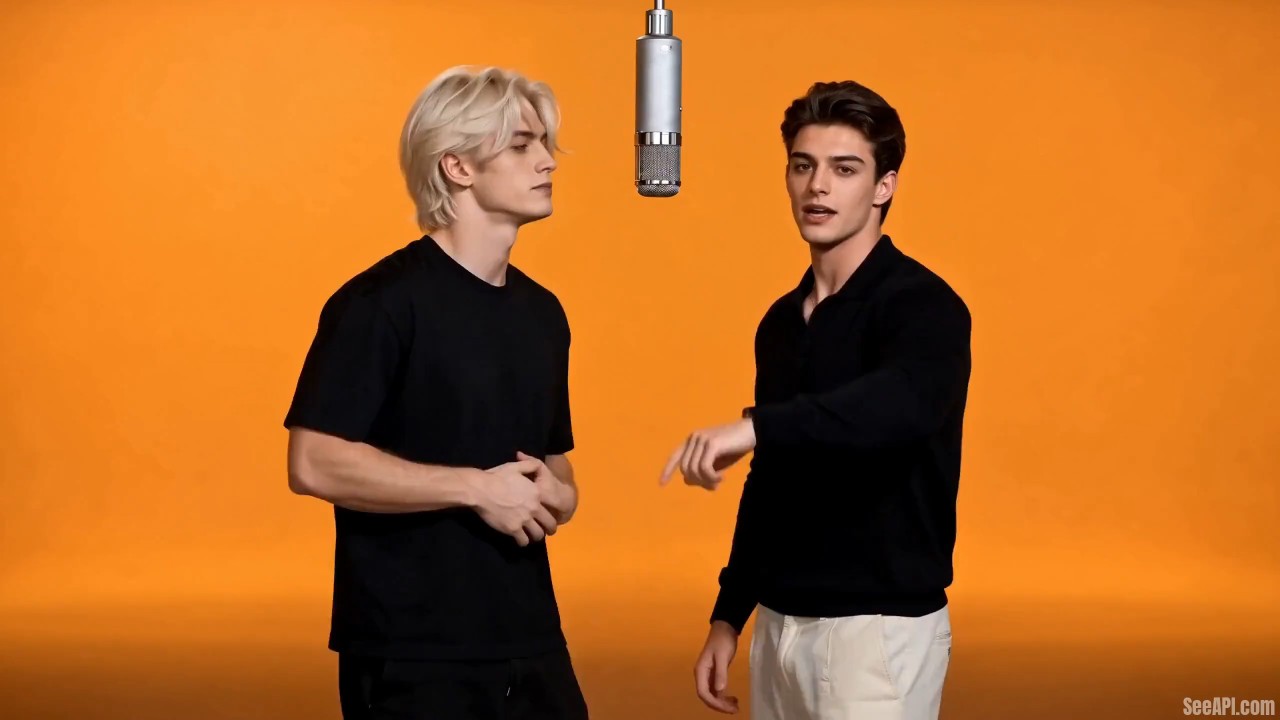 SEE A REAL TEMPLATE EXAMPLE
THE INPUT → THE OUTPUT
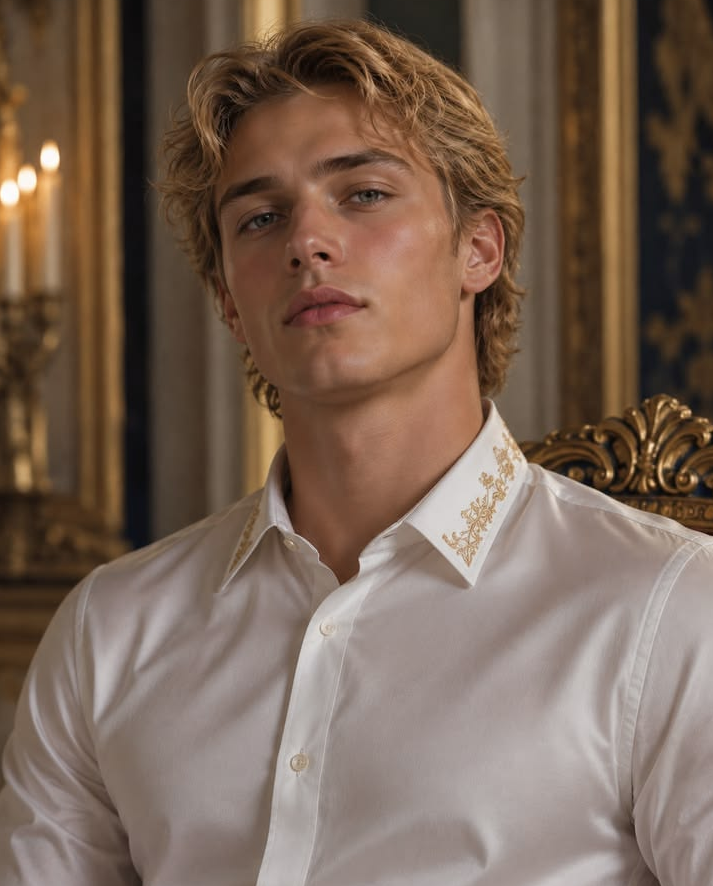
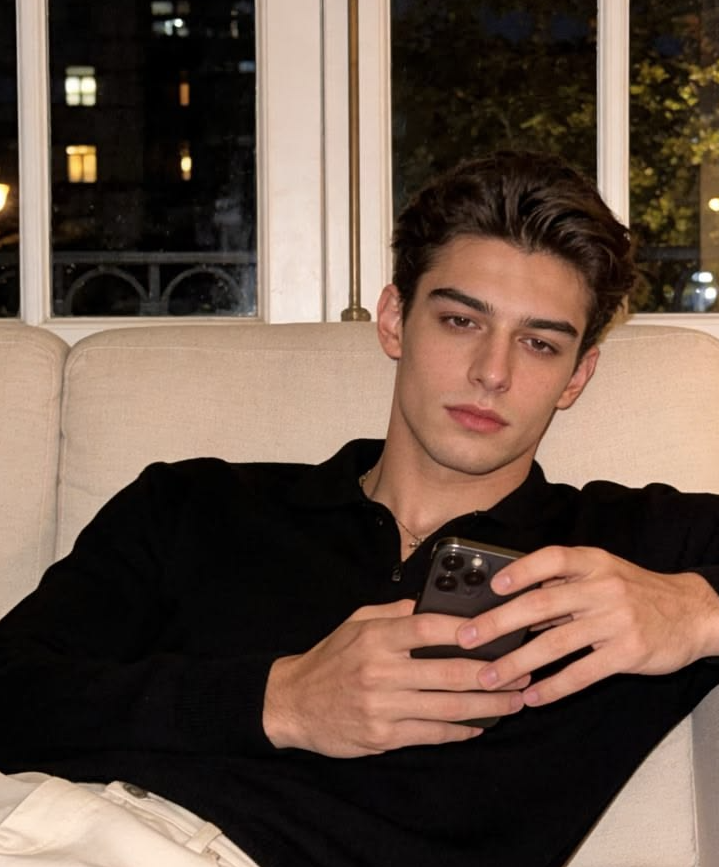
These two inputs and the matching output are a saved example from SeeAPI’s Hotel Lobby template documentation . This provider example is widescreen; the AIRAP duet tool above generates 9:16 video using a duration-controlled workflow. It is not a sample generated by this tool. AI results vary.
THE LOOK, EXPLAINED
Two familiar faces. An all-orange booth. A single microphone suspended between them. The Hotel Lobby AI look turns separate portraits into a shared rap-performance scene, then pairs the clip with the Hotel Lobby track in a social video editor.
The recognizable part is the setup: warm orange surroundings, a close two-shot, and a hanging mic. You do not need footage of the two people together. Start with two clear, authorized adult portraits and let the generator create a new performance.
FROM CAMERA ROLL TO TIKTOK
Upload one clear photo for each adult. Put the left performer first and the right performer second, and keep both faces unobstructed.
Choose 5, 10 or 15 seconds. Review the credit quote, generate your vertical 9:16 clip with vocals and music, then preview and download it from your project.
Upload your MP4 to TikTok as it is, or tap Add sound and pick a version of Hotel Lobby from the library. Trim it to your clip and preview before posting. Track availability depends on your account and region.
The generated vocal and backing track play straight from the download. If you would rather use Hotel Lobby, add it from TikTok’s music library after uploading. Music availability and permitted use depend on your region and account.
BETTER INPUTS / BETTER DUETS
A FEW THINGS BEFORE YOUR TAKE
It is a two-person AI rap performance in an orange booth, with one microphone hanging between the performers. Two separate portraits supply the faces. Add the Hotel Lobby track in TikTok to finish your edit.
Yes. Upload two separate portraits, one adult per image. The first photo supplies the person on the left; the second supplies the person on the right. Avoid group shots and collages.
Yes. The clip is generated with a duet vocal and a backing track, so it plays with sound straight away. If you would rather use the Hotel Lobby track, upload the MP4 to TikTok and add it from the music library instead.
Start a TikTok post and upload your downloaded video. Tap Add sound, search for Hotel Lobby in the music library, choose a version available to your account and region, and trim the sound to your clip. Preview before publishing. Track availability depends on your account, region, and use.
Choose 5, 10 or 15 seconds — the same options and the same credit rate as the single-performer studio. The credit quote updates before you submit.
Yes. This generator uses a vertical 9:16 composition with both performers and the hanging microphone in frame. You can choose 480p or 720p and download the finished MP4.
The live quote appears in the generator before submission. Duration and resolution determine the credit cost. You need an account and enough credits to generate; the pricing page lists the one-time credit packs.
Use sharp, evenly lit JPG or PNG portraits with one adult facing the camera and a fully visible face. Each file must be 10 MB or smaller, 301–5,999 pixels wide and tall, with a width-to-height ratio greater than 0.4 and less than 2.5.
The orange booth and suspended microphone are fixed in this generator — every clip is the same warm orange cyclorama with one hanging mic. Use the main AIRAP studio for other scenes.
The two portraits guide the performers’ identities, but AI can change facial details or movement. The generated vocal is a generic duet track rather than a specific recording of Hotel Lobby, so review the result before sharing.
No. Use your own adult portrait or an adult’s photo with their permission. Celebrity portraits, minors, impersonation, and misleading endorsements are not allowed. Clearly disclose AI-generated content when sharing.
Credits are returned automatically for a confirmed failure. If a submission is under review, check its project status and contact support before trying again; credits remain reserved while the provider result is being checked.
MAKE IT PERSONAL. KEEP IT PERMISSIONED.
Use only your own adult photos or photos of adults who have authorized this use. Do not upload celebrity portraits or images of minors. Do not impersonate people, suggest a false endorsement, or use a duet to harass or deceive. Disclose that the video is AI-generated when you share it.
AIRAP is independent of TikTok and the owners of Hotel Lobby. The song is not included in your download. Follow the platform’s music-use terms and our Terms of Service and Privacy Policy.